1. Enter your measurements.
Choose a rectangular area, circular area, or known area, then enter the measurements you already have. Length, width, radius, area, and depth can use the supported units without you converting them first.
Volume calculator · transparent formula
Calculate how many cubic yards of soil, mulch, gravel, concrete, sand, or another fill material your project needs. Enter the real dimensions, choose the units, and get the result with the formula shown clearly.
Enter the project measurements above and press Calculate Cubic Yards. The calculator will show the exact volume, a rounded planning quantity, equivalent units, and any optional bag or cost estimate.
Measure Material Volume Without Guesswork
A cubic yard is a volume measurement, not a weight measurement. It tells you how much three-dimensional space a material occupies. That makes cubic yards useful for projects involving soil, mulch, gravel, sand, concrete, and other materials that are commonly ordered or planned by volume.
The part that often causes mistakes is unit conversion. A project might be measured in feet while the required depth is written in inches, or a supplier may quote material in cubic yards while your measurements are in meters. This calculator converts the measurements to a common unit before applying the volume formula, so the final cubic-yard result is based on the dimensions you actually entered. For worked examples, see how to calculate cubic yards.
It also keeps optional planning choices separate from the geometric calculation. Extra allowance, bag size, project quantity, and price per cubic yard are added only when you enter them. The calculator does not silently assume a waste percentage or material density.
The result is designed to be checkable: you can see the calculated volume, equivalent units, the formula used, and any optional allowance or purchase estimate separately.
No signup. No payment. No guesswork. Here's how it works:
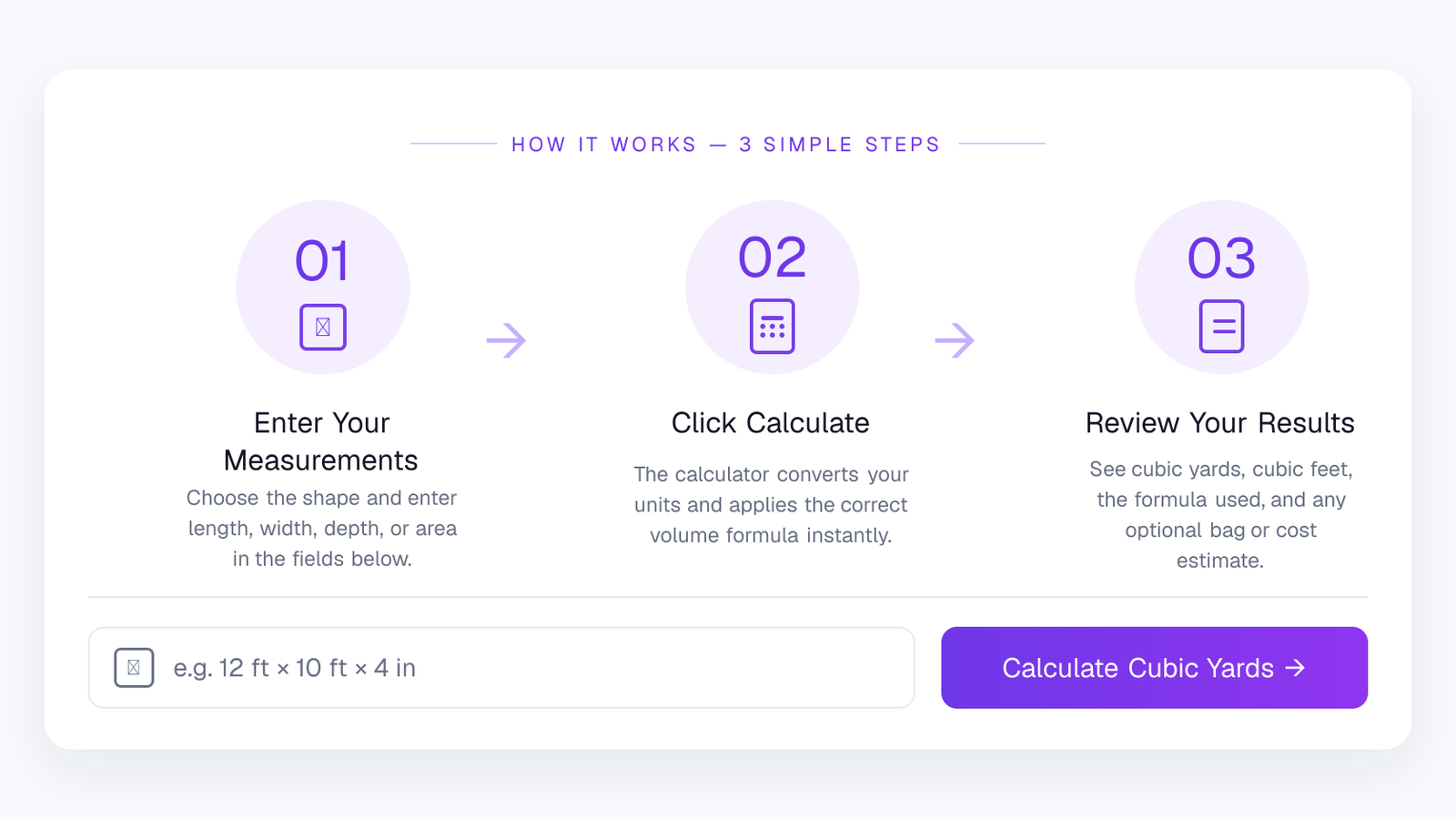
Choose a rectangular area, circular area, or known area, then enter the measurements you already have. Length, width, radius, area, and depth can use the supported units without you converting them first.
Add an allowance only when your project needs one. You can also enter optional quantity, price per cubic yard, or bag-size details when you want a purchase estimate alongside the volume.
See cubic yards together with equivalent volume units, the formula used, and any optional bag or material-cost estimate. Use Copy Result when you want to keep the calculation for later.
That's it. The calculator puts mixed measurements into compatible units before doing the volume math, so a depth entered in inches can work with dimensions entered in feet. Your geometric result stays separate from optional allowance, bag, and price estimates, which makes the final number easier to check before you order material.
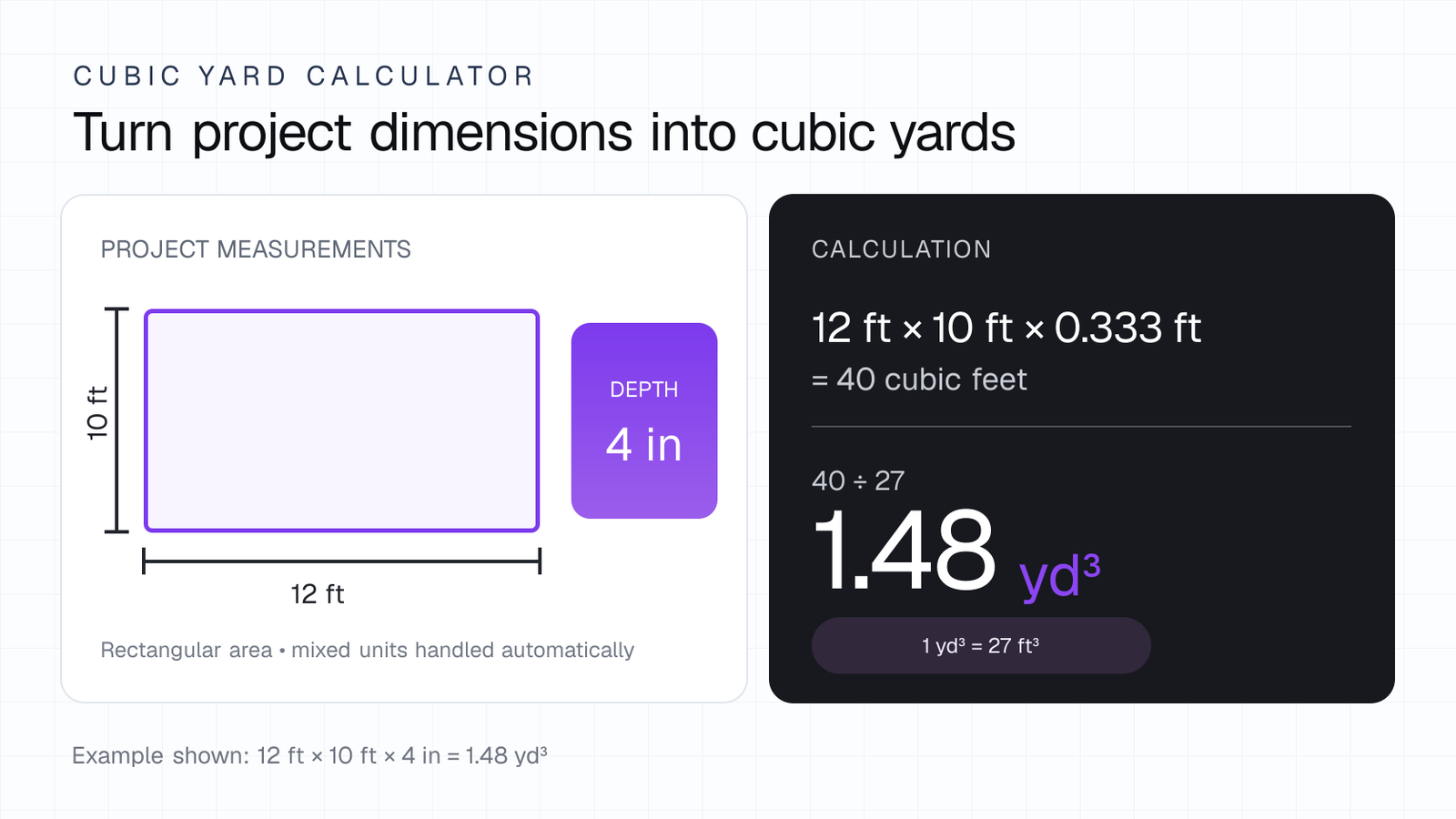
A cubic yard calculator is a volume tool that converts project dimensions into cubic yards. For a rectangular area, the basic process is to calculate length × width × depth after putting the measurements into compatible units. If the result is calculated in cubic feet, divide by 27 to convert it to cubic yards.
The relationship is exact: 1 cubic yard = 27 cubic feet. The National Institute of Standards and Technology lists this conversion in its U.S. customary volume tables. Our calculator uses the same relationship after normalizing the dimensions you enter.
This page also supports circular areas with π × radius² × depth and projects where you already know the surface area and only need to apply a depth. That makes the same tool useful for garden beds, pads, circular planting areas, fill zones, and other projects with different shapes.
Volume is not the same as material weight. Two materials can occupy the same cubic-yard volume but weigh different amounts because density, moisture, gradation, mix design, and compaction can vary. For that reason, this calculator reports volume and does not invent a universal tonnage conversion.
Measurement reference: NIST Handbook 133, General Tables of Units of Measurement.
A volume calculator should do more than throw one number on the screen. Ours keeps the measurement math visible, handles the unit conversions for you, and separates the actual project volume from optional buying estimates.
Enter feet, inches, yards, meters, or centimeters where they belong. The calculator converts the measurements before applying the volume formula, so you do not have to convert every dimension by hand.
Use a rectangular area, a circular area, or a known surface area plus depth. The calculator switches to the formula that matches the shape you actually measured.
Allowance, project quantity, price per cubic yard, and bag size are added only when you choose to use them. They never replace the base geometric volume.
Review cubic yards alongside cubic feet, cubic meters, and liters. If you add bag or pricing details, those estimates appear separately instead of being mixed into the core volume result.
The result panel tells you which formula was used and gives you a copyable calculation summary. That makes it much easier to double-check a project before ordering material.
We built this around the measurements people actually have on a job: dimensions in different units, a depth that may be written in inches, and optional purchasing details that should not change the underlying volume. The goal is a result you can read, check, and use.
Cubic-yard calculations are volume calculations. The important part is making the dimensions compatible before multiplying them. If length and width are in feet but depth is in inches, the depth must be converted to feet first.
For a rectangular project, the calculator uses length × width × depth. A circular project uses π × radius² × depth. If you already know the surface area, it uses area × depth.
Once the volume is in cubic feet, the conversion to cubic yards is exact: 1 cubic yard = 27 cubic feet. So a project measuring 40 cubic feet becomes 40 ÷ 27 ≈ 1.48 cubic yards.
The result is still a volume, not a weight. Material density, moisture, gradation, and compaction can change how much a cubic yard weighs.
Cubic yards show up in all kinds of outdoor and construction work. The calculator is designed for projects where you know the dimensions, the surface area, or the diameter and depth — whether you are estimating soil, mulch, gravel, sand, concrete, or another fill material.
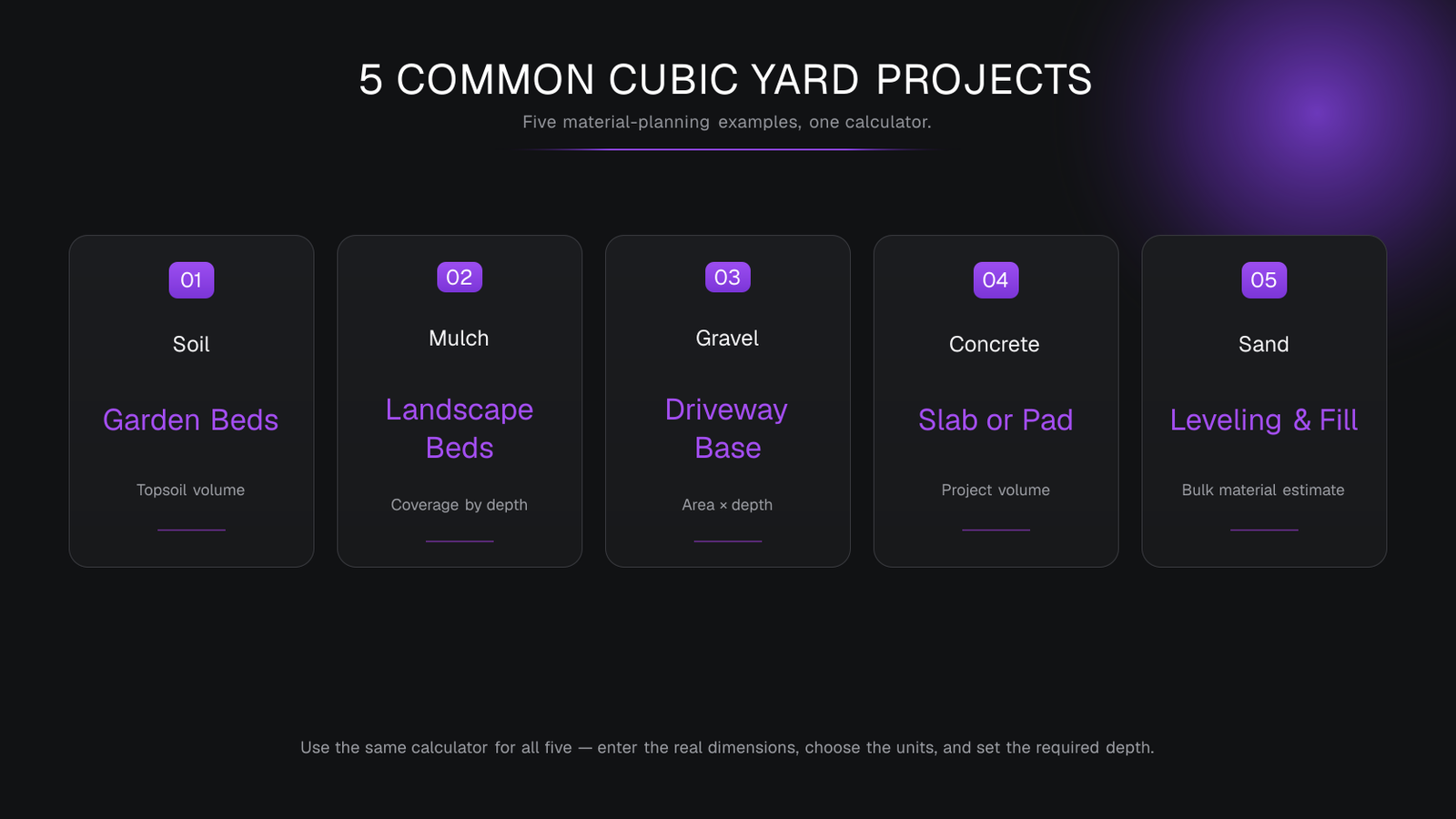
Use cubic yards to estimate the volume needed for garden beds, raised beds, lawn repairs, and other areas that need a measured soil depth.
Example: 12 ft × 8 ft × 8 inMeasure the bed area and the mulch depth you want, then calculate the volume instead of relying on a rough guess from surface area alone.
Example: 20 ft × 6 ft × 3 inDriveway bases, paths, drainage areas, and fill zones can be estimated from their dimensions and planned depth before material is ordered.
Example: 30 ft × 10 ft × 4 inSlabs and rectangular pads use the same length × width × depth volume relationship, with the result converted into cubic yards.
Example: 12 ft × 10 ft × 4 in ≈ 1.48 yd³Sand used for leveling, bedding, or fill can be estimated from the measured area and depth just like other bulk materials.
Example: 15 ft × 8 ft × 2 inThe material changes, but the basic job is the same: measure the space, enter the depth, and calculate its volume. Use the optional allowance, bag-size, and pricing fields only when they are useful for your own project.
This is where the calculator becomes useful beyond one simple material order. People use cubic-yard calculations to compare project sizes, plan several areas at once, check bag quantities, test different depths, and estimate a material budget before buying anything.
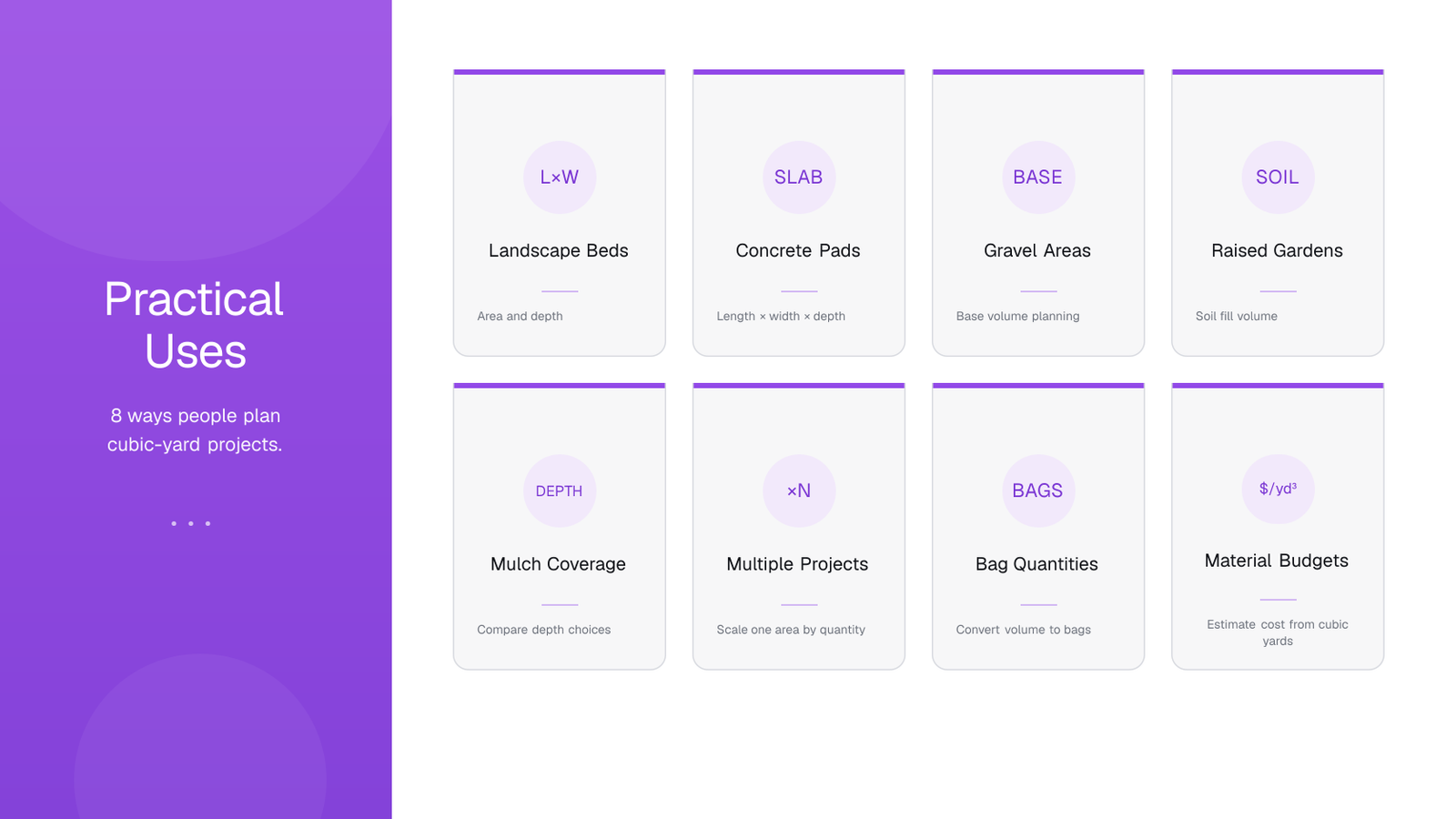
Compare the volume required for a new bed or an existing bed that needs another measured layer of soil, compost, or mulch.
Enter the slab length, width, and thickness to calculate geometric volume before discussing an order with a concrete supplier.
Estimate the volume for a driveway base, path, drainage strip, or fill area when you know its dimensions and planned depth.
Use the inside dimensions of the bed and the fill depth to estimate how much soil volume the space can hold.
Test different mulch depths before ordering so you can see how a change from two inches to three inches affects the required cubic yards.
Use the quantity field when several identical areas need the same material instead of repeating the same calculation manually.
Enter the volume printed on a bag to estimate how many whole bags are needed for the calculated project volume.
Add a price per cubic yard when you want a simple volume-based cost estimate alongside the core calculation.
Different projects need different assumptions. Use the calculator for the measured volume, then confirm product coverage, compaction, delivery rules, and any project-specific requirements with the material supplier when those details matter.
A calculator can only work with the measurements you give it. These checks help you get a result that is easier to trust before you buy material.
Use the project dimensions rather than guessing from a photo or rough room-size estimate. Small measurement errors grow when volume is calculated.
A depth of 4 inches is not 4 feet. Make sure the selected unit matches the measurement written on your plan or tape measure.
If a project is not a clean rectangle or circle, divide it into simpler measurable sections and calculate those parts separately.
Do not add extra material automatically. Use the allowance field only when your project, supplier, or installation method gives you a reason.
When estimating bags, enter the volume shown on the product packaging. Bag sizes vary, so one generic bag assumption can be misleading.
For expensive, structural, or highly compacted materials, compare the calculator result with supplier guidance or project specifications.
The most useful estimate is one you can explain. Keep your measurements, units, depth, allowance, and supplier assumptions clear so you can check the number before placing an order.
Yes, for volume planning — as long as you treat the result as a measurement-based estimate rather than a substitute for project-specific engineering, supplier specifications, or installation instructions.
For structural concrete, engineered fill, load-bearing work, or any job governed by plans or codes, use the required project specifications and professional guidance as the final authority.
Clear answers about cubic yards, project measurements, units, bags, and material estimates.
A cubic yard calculator converts project dimensions into volume. For a rectangular project, it uses length × width × depth after putting the measurements into compatible units, then converts the result into cubic yards.
One cubic yard equals exactly 27 cubic feet. If your project volume is already in cubic feet, divide by 27 to convert it to cubic yards.
Multiply length × width × depth using compatible units. If all three dimensions are in feet, divide the resulting cubic feet by 27. Our calculator handles the unit conversion before doing that math.
Yes. Depth can be entered in inches, feet, yards, meters, or centimeters. The calculator converts the depth to a compatible unit before calculating volume.
Yes. Length dimensions can use feet, inches, yards, meters, or centimeters independently. That means a project such as 12 ft × 10 ft × 4 in can be entered directly without manual conversion.
Yes. Choose Circular Area, enter the diameter and depth, and the calculator uses π × radius² × depth to calculate the volume.
Use this option when you already know the surface area of the project. Enter the area and the required depth, and the calculator uses area × depth to find the volume.
Yes. The allowance field is optional and can add a percentage on top of the measured project volume. The calculator keeps that extra amount separate from the base geometric calculation.
Yes. Use the project quantity field when the same dimensions apply to more than one area. The calculator multiplies the one-project volume by the quantity you enter.
Yes. Enter the volume printed on the bag and choose cubic feet, cubic yards, or liters. The calculator divides the project volume by that bag size and rounds up to a whole-bag estimate.
Yes. Enter a price per cubic yard and the calculator multiplies that price by the calculated cubic-yard volume. Delivery fees and other supplier charges are not added automatically.
The planning quantity rounds the calculated cubic-yard result up to the next tenth of a cubic yard. It is shown separately from the more precise calculated volume so you can see both values.
No. Cubic yards measure volume, while tons measure weight. The weight of one cubic yard changes with material type, density, moisture, gradation, and compaction, so there is no universal conversion.
The tool includes Soil, Mulch, Gravel, Concrete, Sand, and Other as project labels. The selected material does not change the geometry formula; your measurements and units determine the volume.
Results include cubic yards, cubic feet, cubic meters, and liters. Optional bag and cost estimates are also shown when you provide the information needed for those calculations.
You've seen the formulas, project examples, tips, and FAQs. Now enter the measurements from your own project and let the calculator handle the unit conversions and cubic-yard math.
Whether you're planning soil for a garden bed, mulch for landscaping, gravel for a base, sand for fill, or concrete for a slab, start with the dimensions you actually measured. You can then add an optional allowance, bag size, project quantity, or price per cubic yard when those details are useful for your plan.
Calculate Cubic Yards Now